Vigil
A downloadable tool for Windows and macOS
Vigil is an initiative tracker your players can see.
Compatible with fifth edition
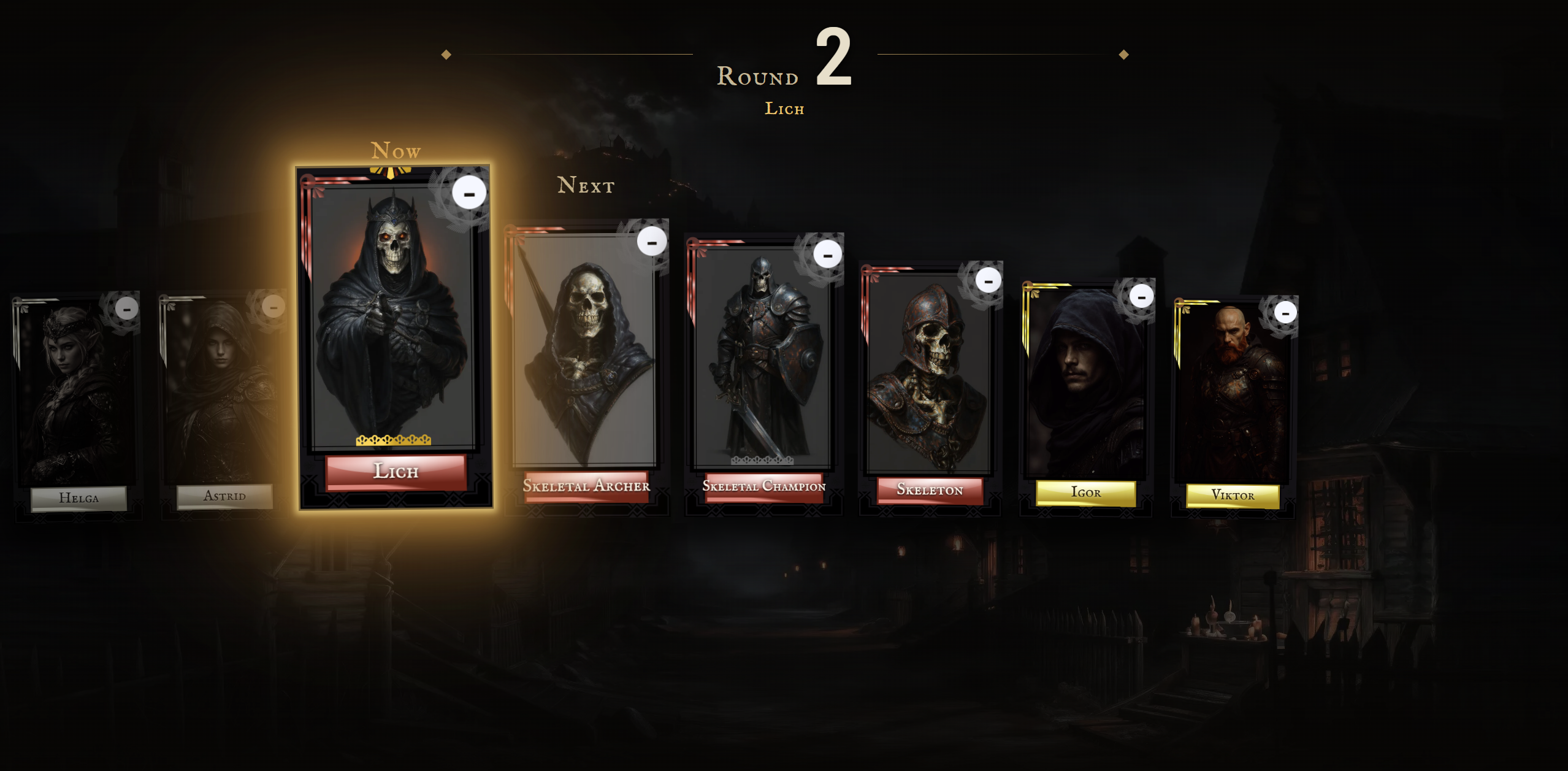
Most trackers are built for the GM’s screen: a list of names and numbers nobody else at the table looks at. Vigil is built for the other screen, the TV or projector already in the room. You run combat on your laptop; your players watch the round unfold on something that looks like it belongs in the game.
Two windows, one session
The control window is yours: hit points, armour class, conditions and every control. The player view goes on the TV and shows only what the table should know: who’s up, who’s next and who’s still standing. The two stay in sync as you play. Hit point numbers are never sent to the player view at all; your players see wounds, not numbers.
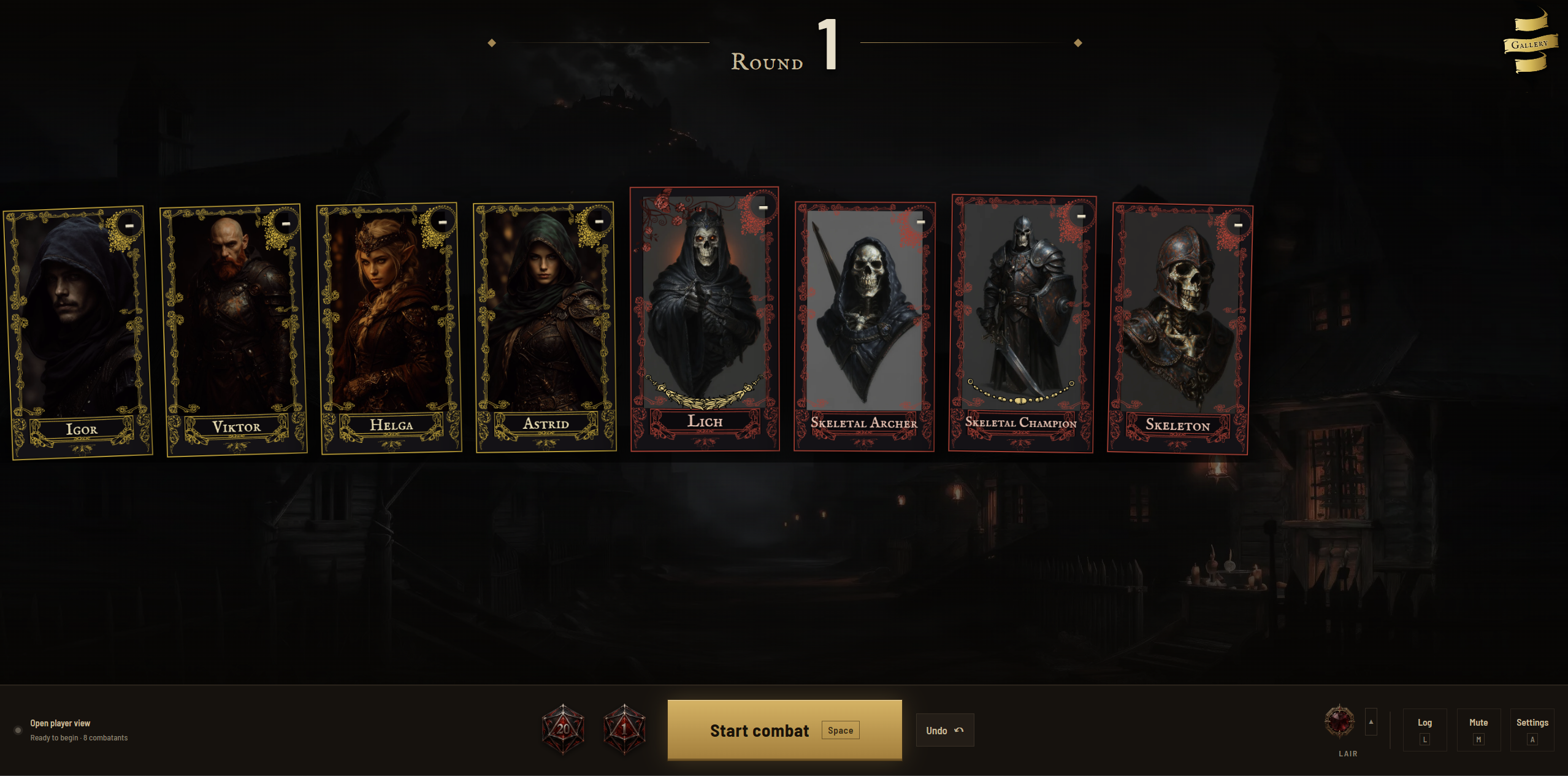
Every combatant gets a card
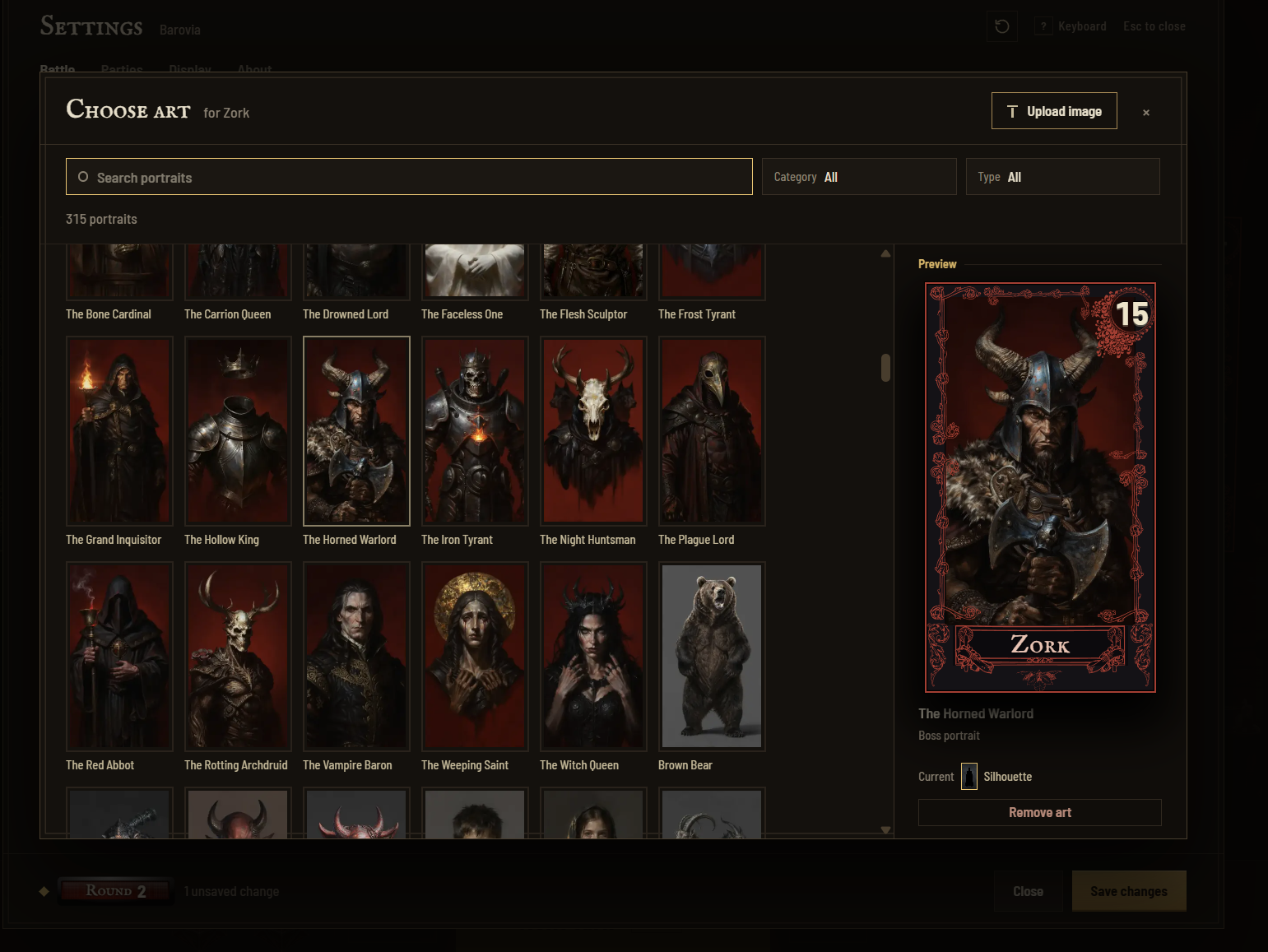
Four frame sets (Core, Art Deco, Art Nouveau and Celtic) are coloured by side: party, allies, neutrals and enemies, with heavier ornament for mini-bosses and bosses. As a creature takes damage, its card wears down through five stages of blood, tarnish and torn edges. More than 300 portraits are included, and you can upload your own. A hidden creature stays a silhouette and a “???” until you reveal it.
It knows how fifth edition runs
Conditions with durations that count down at the end of each creature’s own turn. Concentration, death saves, temporary hit points, massive damage, readied actions and surprise. Legendary resistances spent one at a time, legendary actions between turns, and lair actions on an initiative count you control. A switch between the 2014 and 2024 versions of the rules. A battle log of everything that happened, and an undo for everything you wish hadn’t: 20 steps deep, and kept even if the browser closes.
Crits get their moment
Somebody rolls a natural 20, and the whole table sees it: one key, and a giant d20 slams onto the TV with a shockwave and rays of light. A natural 1 lands dull, cracks and sinks. In the middle of a fight, or over the tavern between them.
The rest of the session
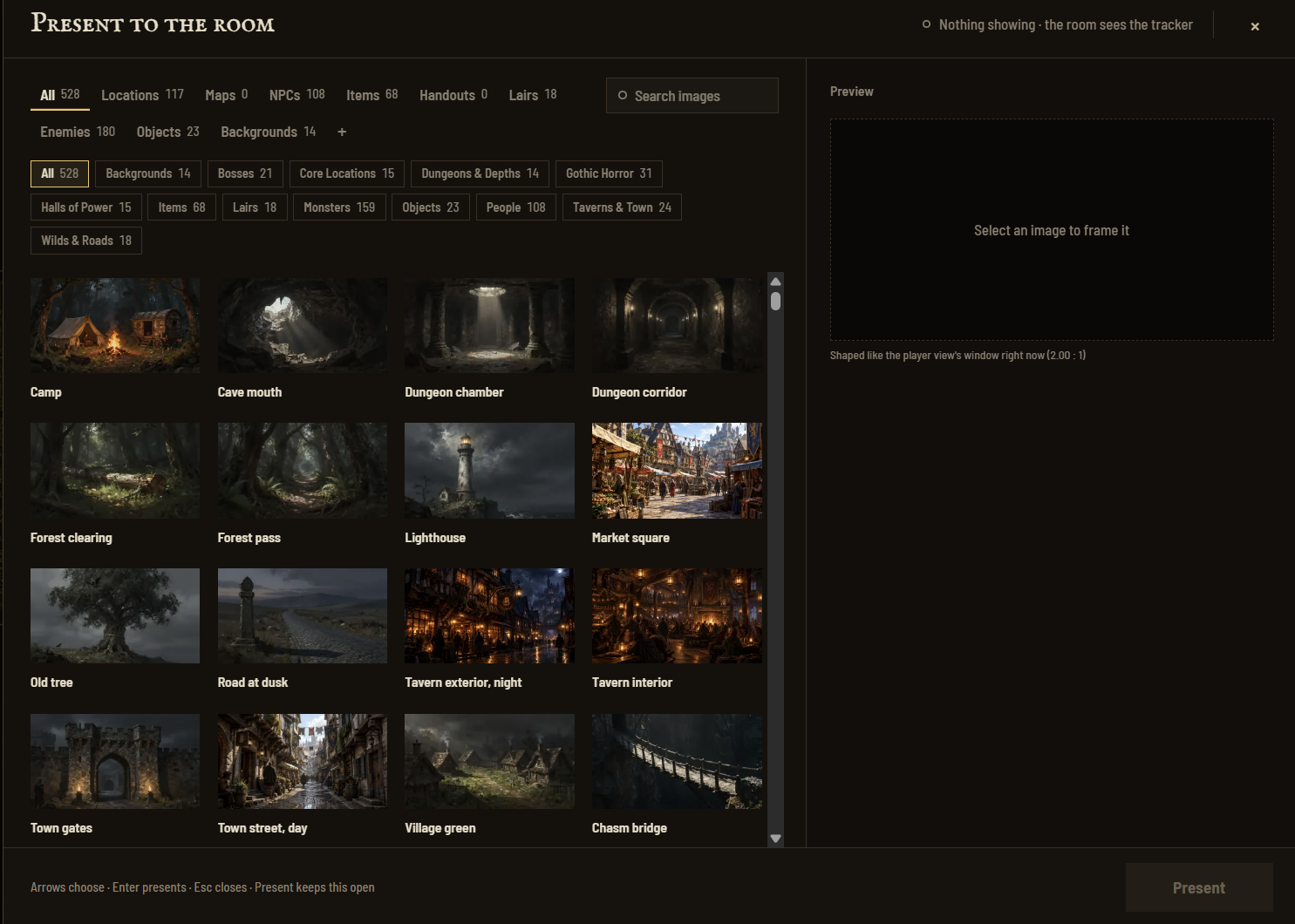
A fight is a few minutes of an evening. The Gallery uses the same screen for everything else: the tavern, the ruined keep, the map, the thing they just pulled out of the chest, or the dragon before the fight starts. More than 200 location, lair and item pictures are included alongside the portraits, and you can add your own. Search them, frame the shot before you reveal it, and take it down in one click; the screen returns to exactly where it was. Any picture can also become the battle background.
Runs on your computer
No account, no server, no subscription. After the first launch it needs no internet, and nothing you do at the table is sent anywhere. Parties, pictures and settings are saved in your browser for next session, and party hit points carry over from one fight to the next.
What you need
- A computer running Windows, macOS or Linux, with Node.js (the free LTS version from nodejs.org) and Google Chrome.
- An internet connection once, for the first launch, which installs Vigil’s components in a few minutes.
- A TV or projector for the player view, ideally connected by HDMI. Wireless casting and USB display adapters add a noticeable delay.
- Unzip the download. On Windows, double-click Start_Windows.bat. On a Mac, double-click Start_Mac.command; the first time, macOS can't verify the developer, so use System Settings → Privacy & Security → Open Anyway (macOS 15 and later) or right-click → Open (macOS 14 and earlier). The README explains the rest.
In development
Vigil is at version 0.9.3 and still in active development. I built it for my own weekly game and run it there myself, so it is tested at a real table, but expect rough edges and changes between versions. Feedback, bug reports and ideas are very welcome: leave a comment on this page or write to vigil.initiative@gmail.com.
Custom art, frames and dice
Want portraits of your party, a frame set in your campaign’s colours or a dice set of your own? I take custom orders in return for a donation. Write to vigil.initiative@gmail.com with what you have in mind. Custom pieces are made the same way as Vigil’s own artwork (see the AI disclosure below).
AI disclosure
The artwork in Vigil (card frames, scene and object images) was produced with AI image generation tools, then selected, corrected and assembled by hand. The sound effects were made with ElevenLabs, an AI audio tool. Parts of the code were written with AI assistance. No AI runs inside the app itself.
Licence
Vigil’s source code is licensed under the PolyForm Noncommercial License 1.0.0 (https://polyformproject.org/licenses/noncommercial/1.0.0): you may use, change and share it for any noncommercial purpose, such as running your own games, but commercial use is not permitted. The artwork and audio are not licensed for reuse and may not be redistributed.
Credits
This work includes material taken from the System Reference Document 5.1 (“SRD 5.1”) by Wizards of the Coast LLC and available at https://dnd.wizards.com/resources/systems-reference-document. The SRD 5.1 is licensed under the Creative Commons Attribution 4.0 International License available at https://creativecommons.org/licenses/by/4.0/legalcode.
This work includes material from the System Reference Document 5.2.1 (“SRD 5.2.1”) by Wizards of the Coast LLC, available at https://www.dndbeyond.com/srd. The SRD 5.2.1 is licensed under the Creative Commons Attribution 4.0 International License, available at https://creativecommons.org/licenses/by/4.0/legalcode.
Fonts: IM Fell English SC and Barlow Semi Condensed, SIL Open Font License.
Download
Click download now to get access to the following files:
Leave a comment
Log in with itch.io to leave a comment.